Newsletter signup

Just simple MailerLite form!

Please wait...

Thank you for sign up!

astrophotography Project management

Plan, sync, and analyze deep-sky projects in one workspace.

Astro PM is a project management and sync workspace for astrophotographers — plan and visualize targets, connect to remote rigs, synchronize data, and analyze your images.

Everything connected. Every calculation live.

Keep accurate equipment records, Plan in Skyview, Sync images remote-to-local, Analyze your images with these tools.

Equipment Library

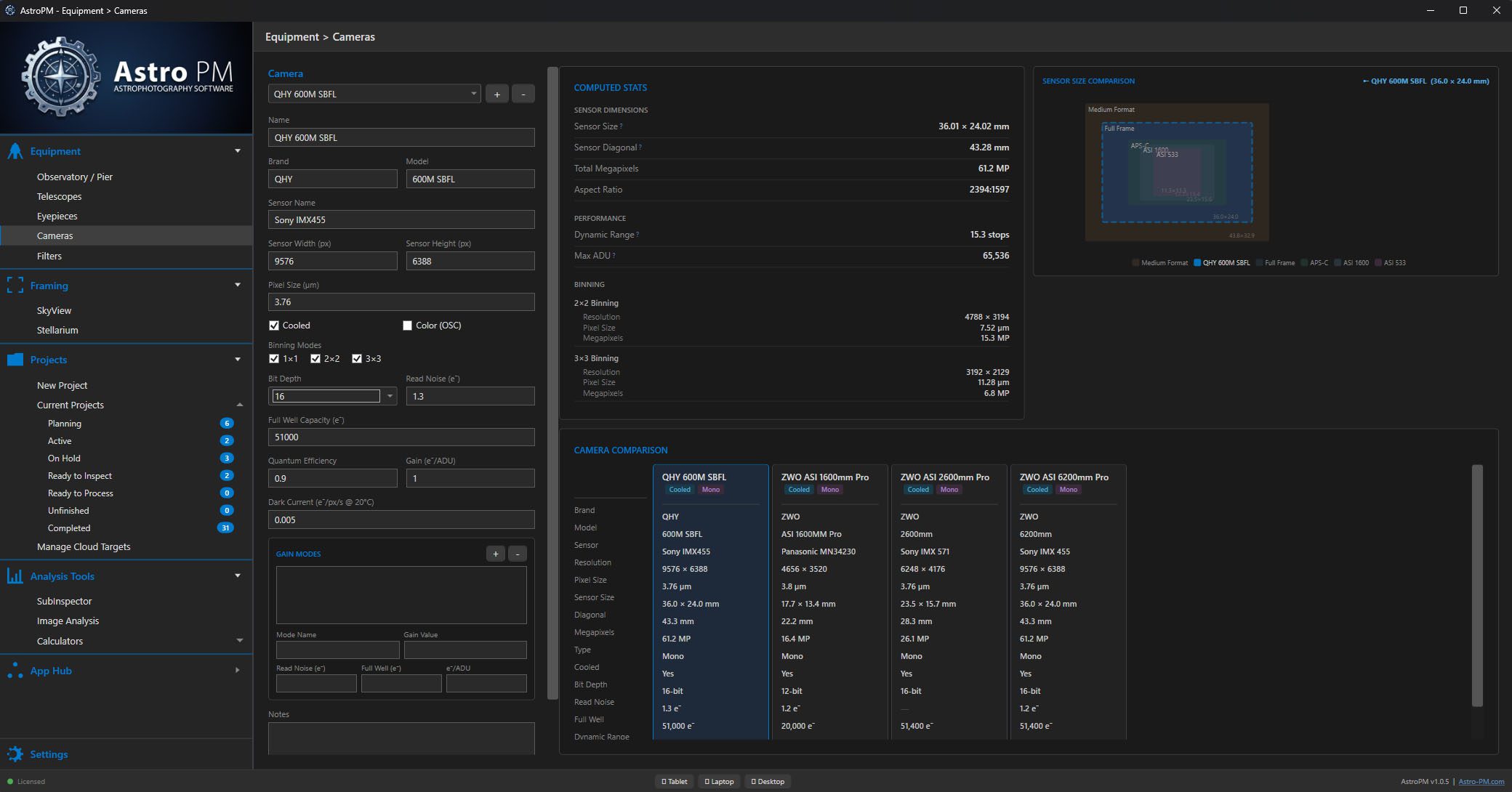
Telescopes, cameras, filters, and observatory sites as first-class structured data — with auto-computed statistics.

Project Management

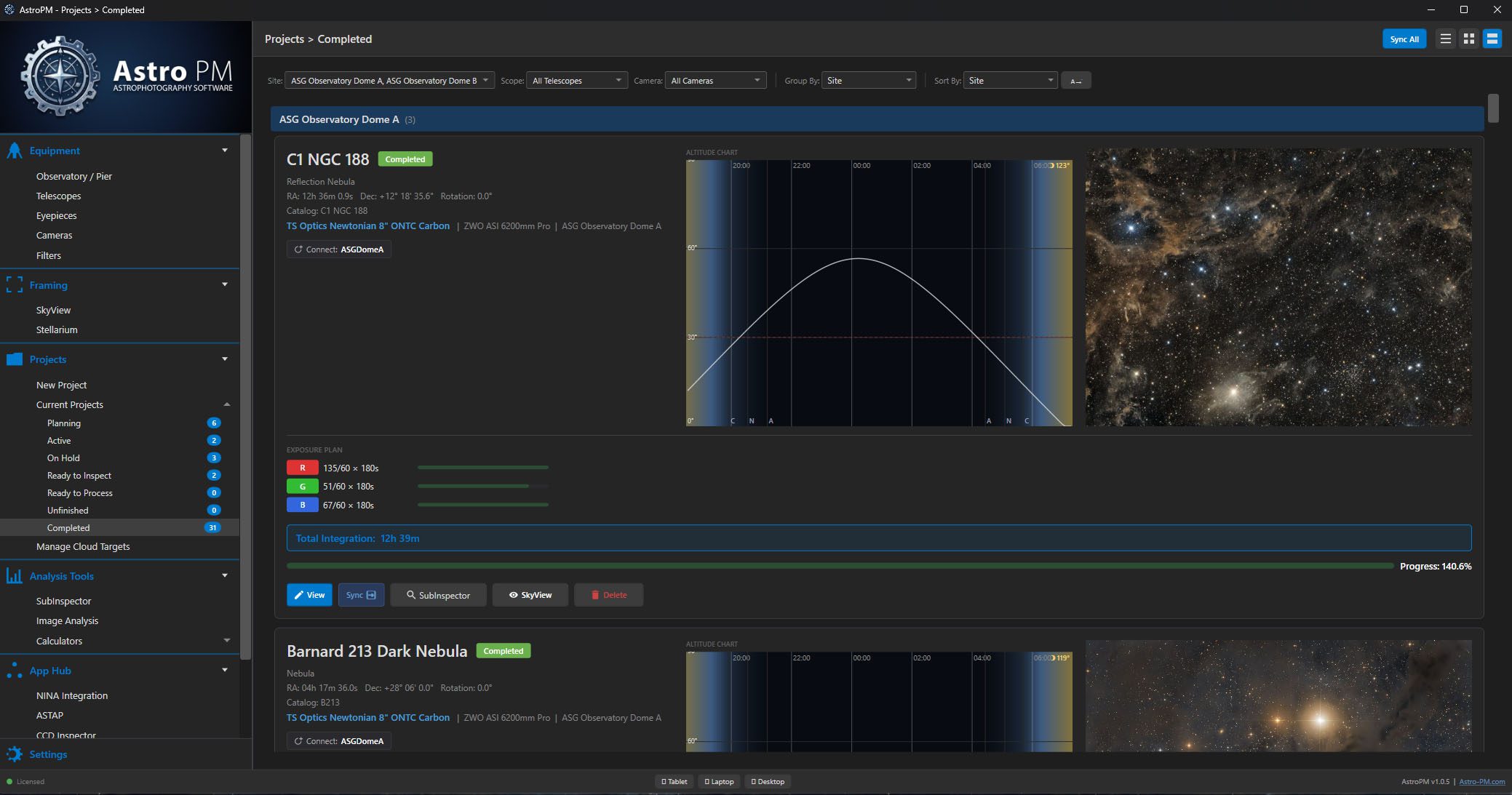
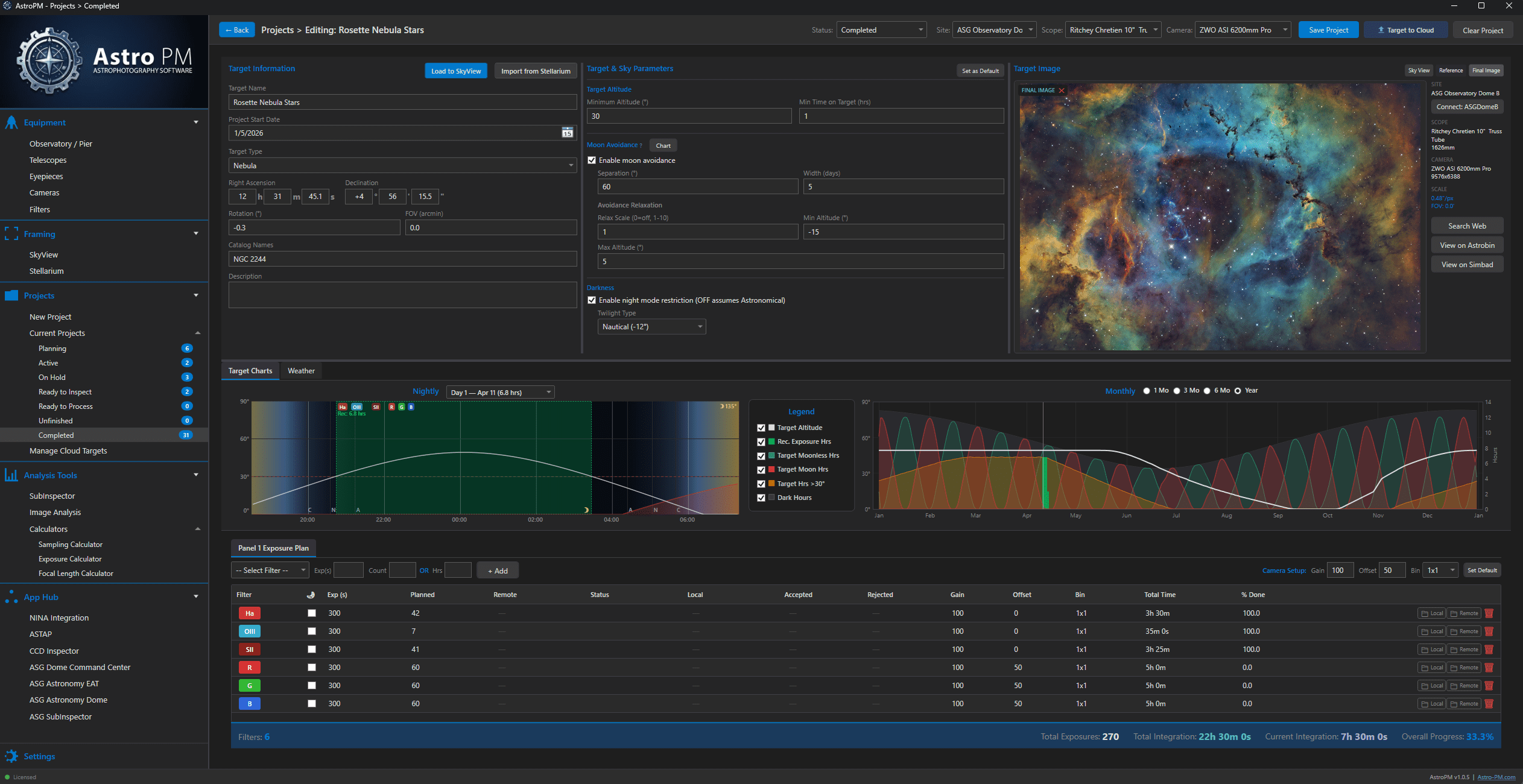
Every target moves through a real lifecycle: Planning → Active → Processing → Complete. Nothing falls through the cracks.

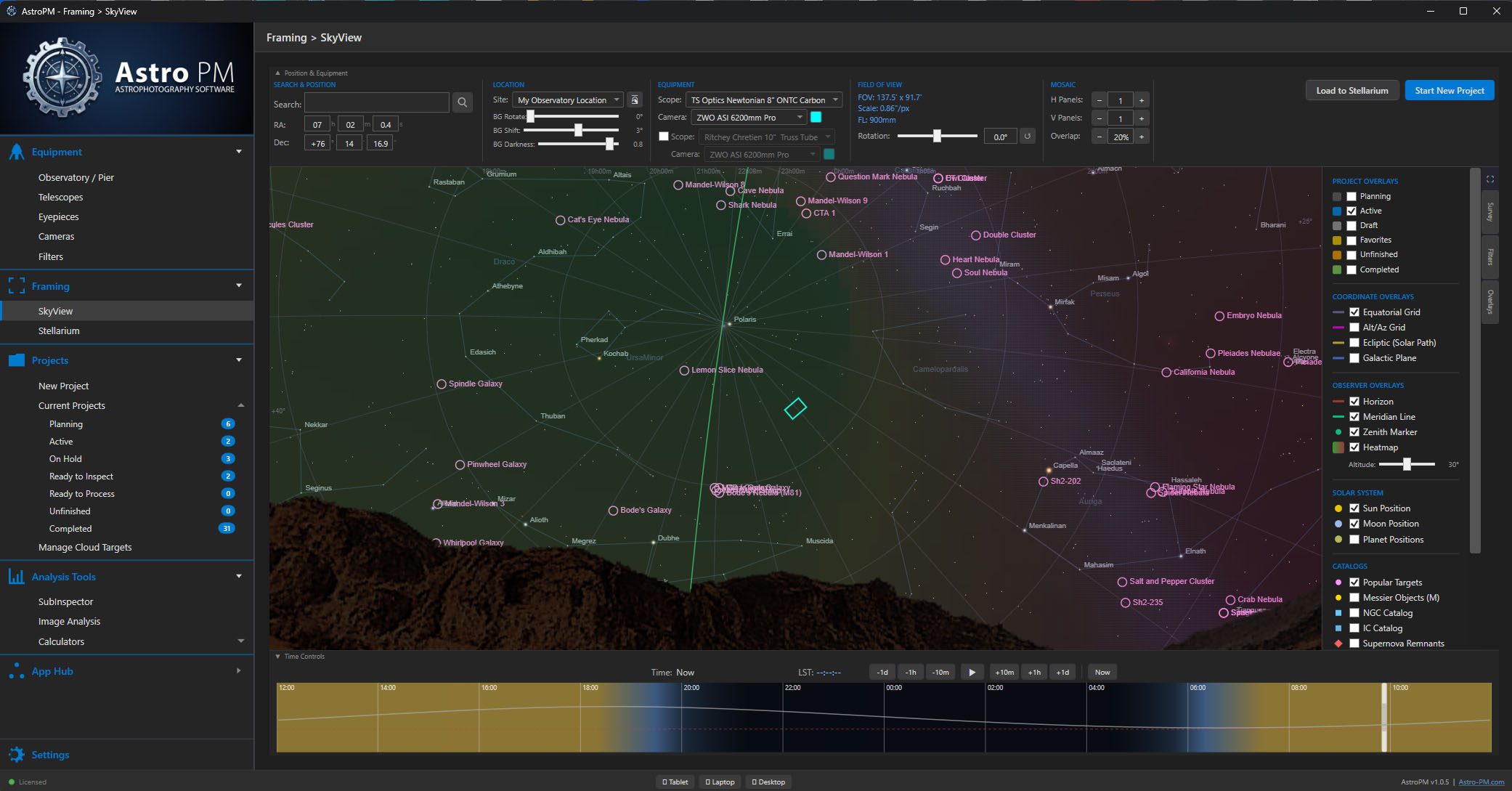
Planetarium Sky View

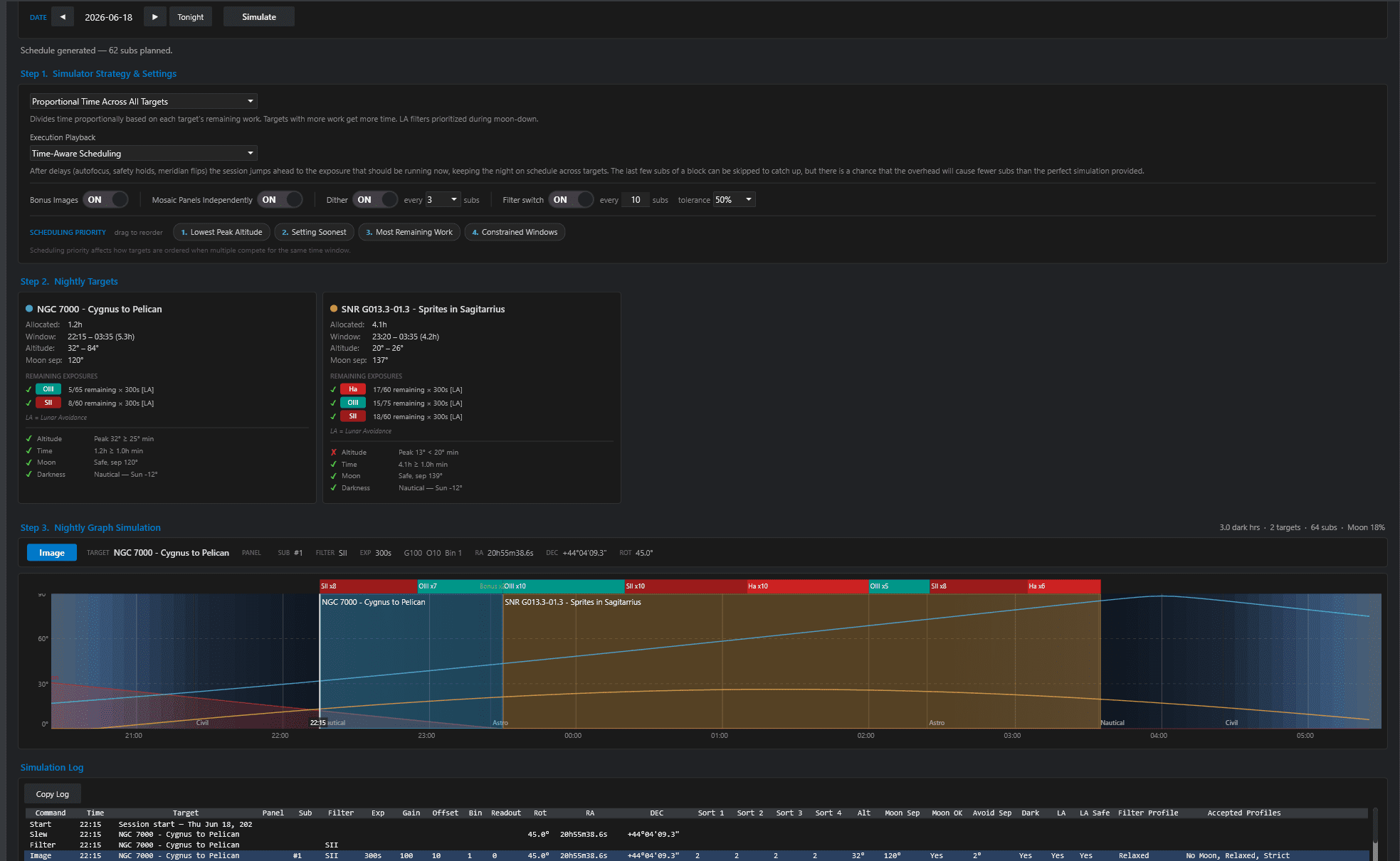
Visualize targets, framing, and altitude windows on an interactive sky map.  Show past image locations & active Heatmaps help the planning process.

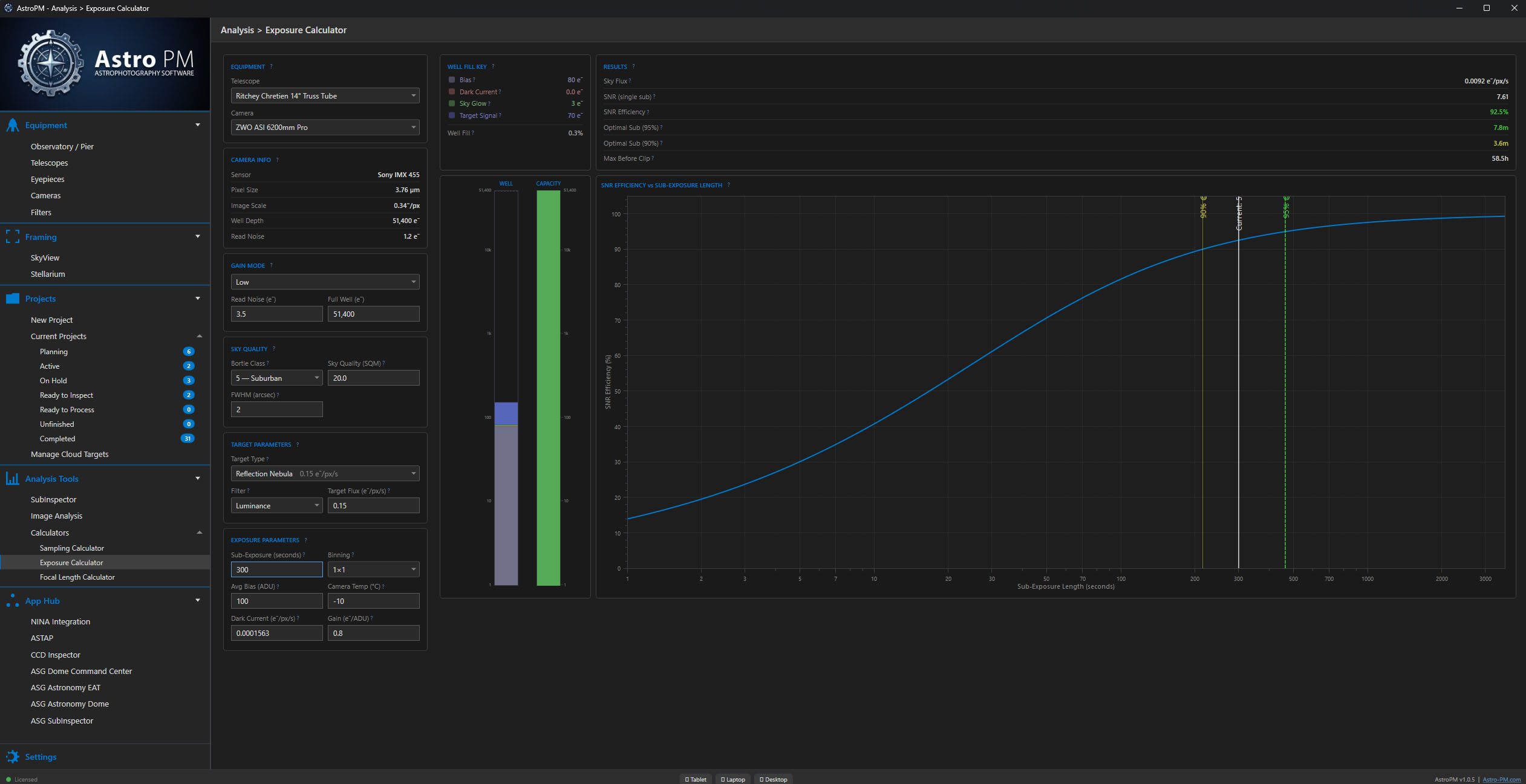
Exposure Planner

SNR-driven sub-exposure modeling using your specific equipment, location, and target data to give accurate modeling.

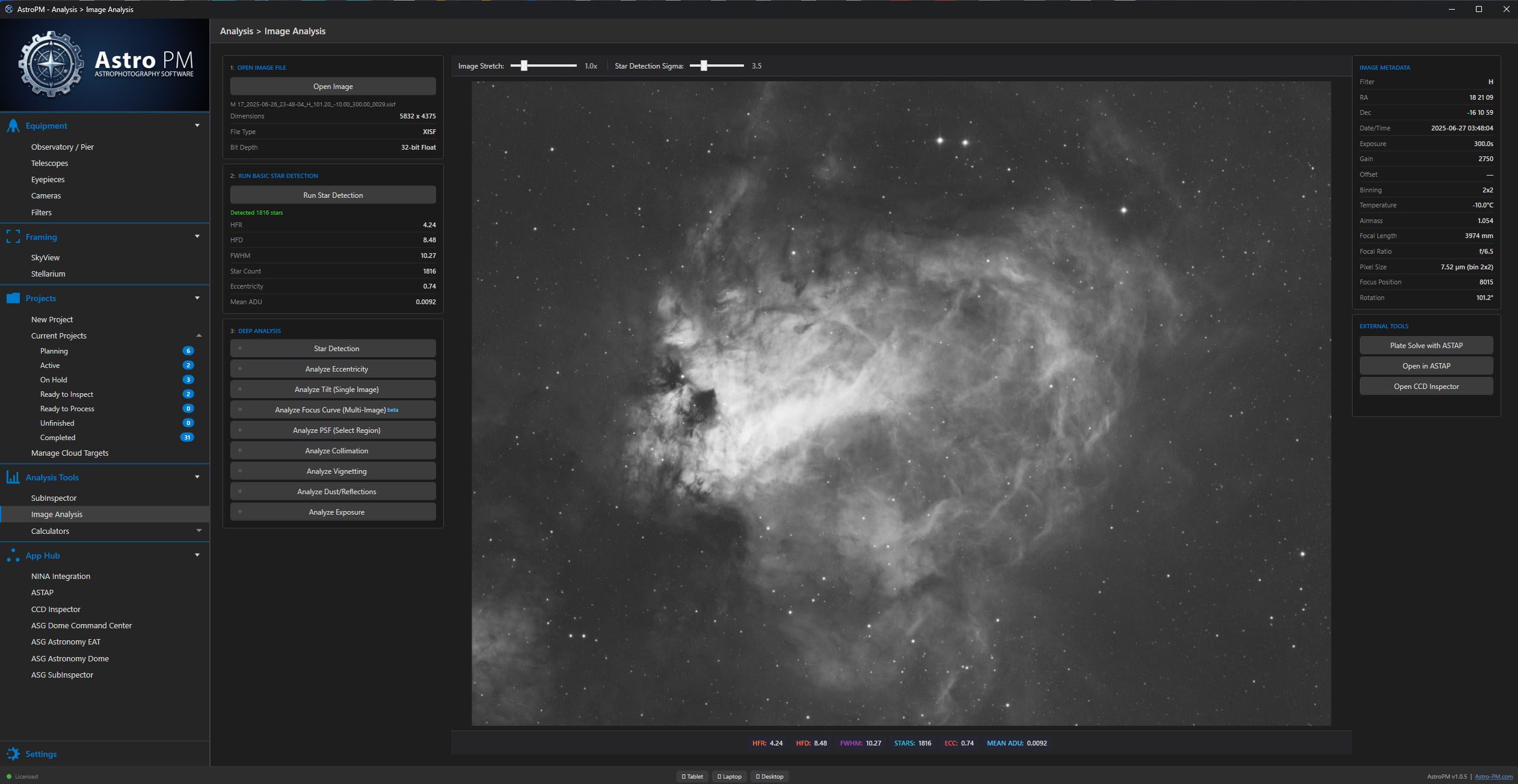
Image Analysis

Single Image inspection and quality metrics so you can analyze every detail about your image performance.

App Hub

Calculators, utilities, and tools for the working imager — all in one place, all aware of your gear.

01 — Equipment

Your gear as first-class data.

Telescopes, cameras, filters, eyepieces, and observatory sites live in a structured library. Every spec — aperture, focal length, pixel size, gain profiles, Bortle class — feeds the calculations downstream. Swap a scope or camera on a project and plate scale, field of view, and SNR recalculate instantly.

02 — Projects

Every target, a real project lifecycle.

Planning → Active → Processing → Complete. Every project tracks what you planned, what you captured, and what still needs to be done. No more scattered spreadsheets, no more sticky notes, no more wondering whether you ever finished that mosaic from last winter.

03 — Sky View

Planetarium-grade target visualization.

An interactive sky map tied to your site coordinates shows where targets sit, when they rise, how high they climb, and when they cross the meridian. Frame mosaic panels, check altitude windows for the night, and pick the right target for the conditions you actually have.

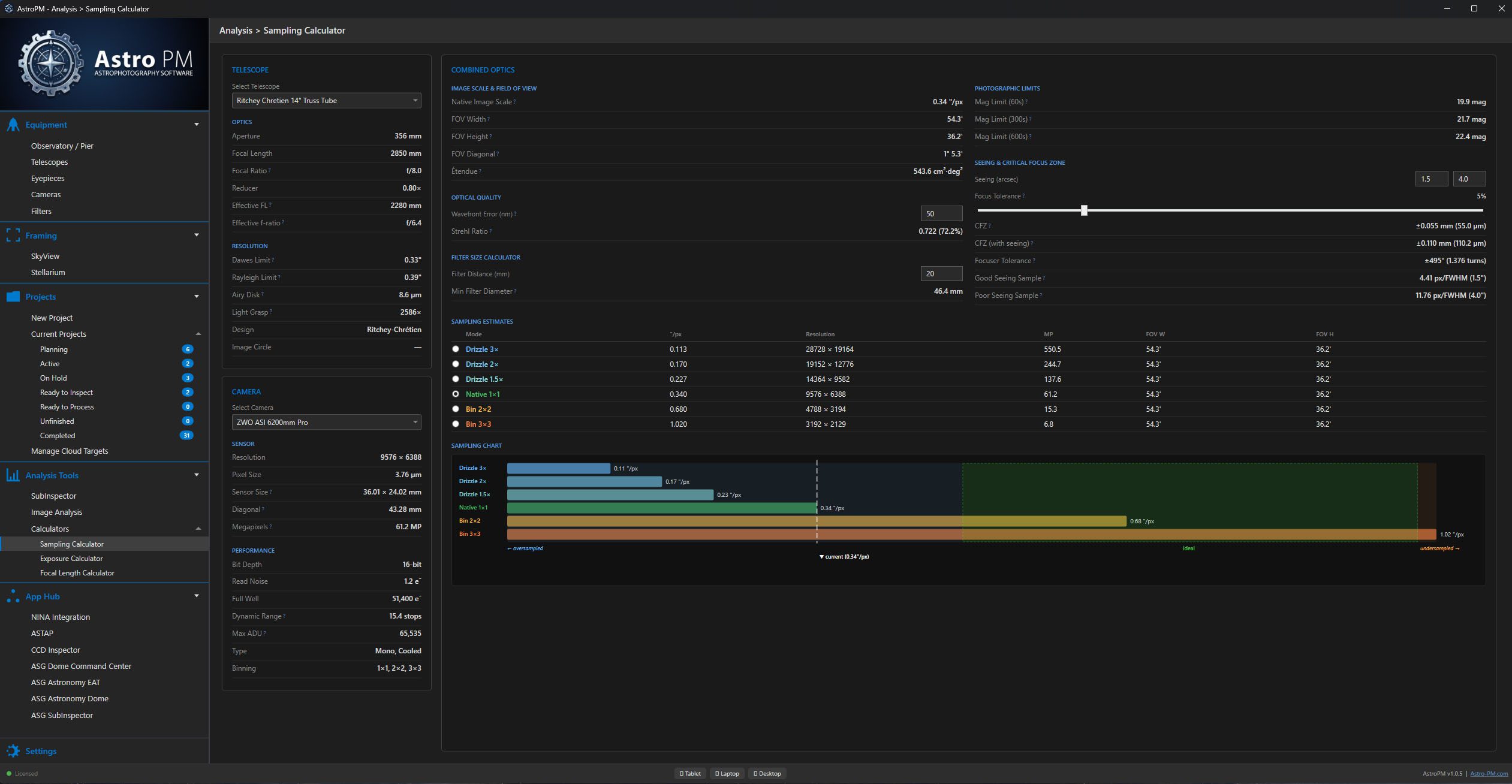
04 — Calculators

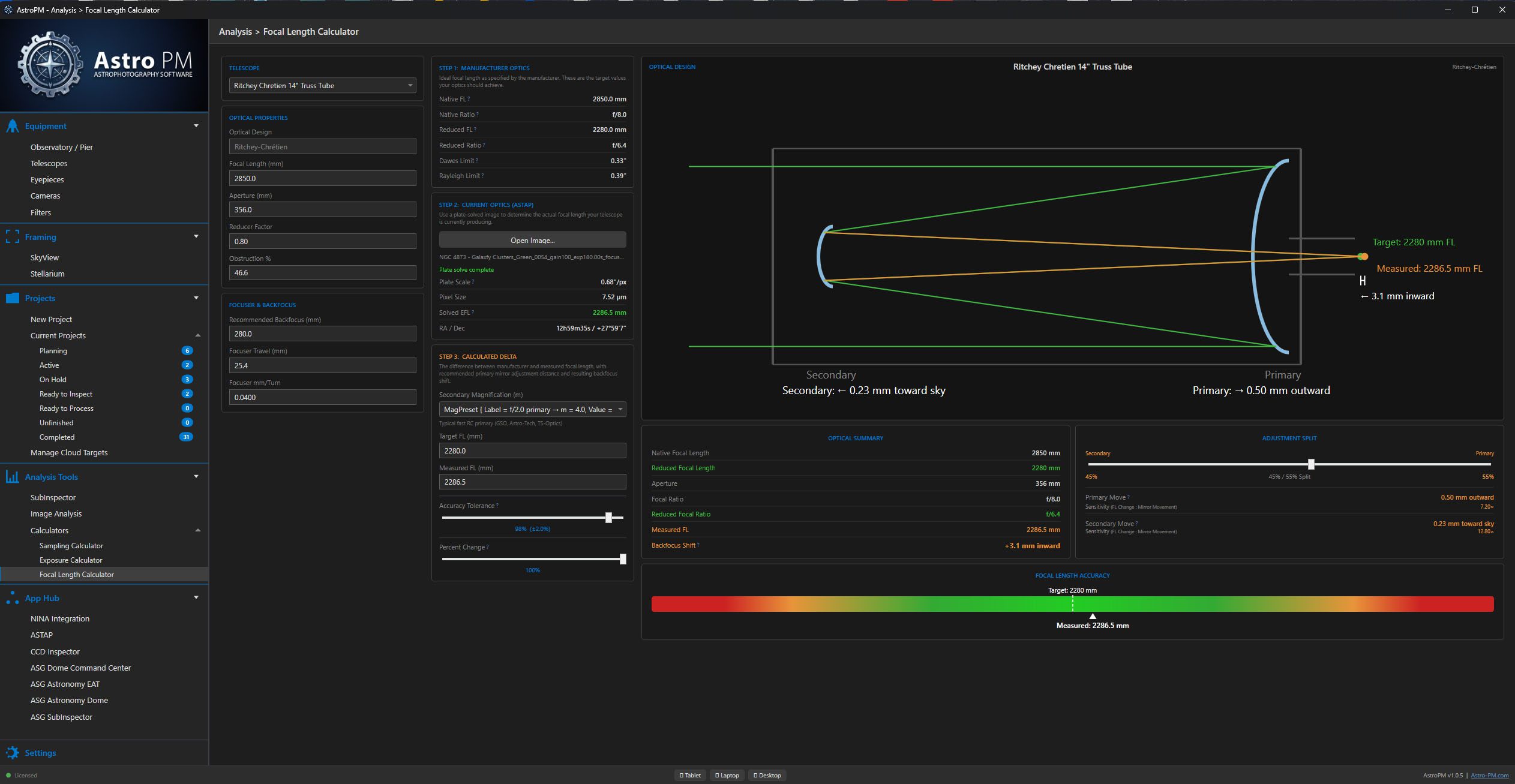
Calculators that know your gear.

Sampling, focal length, exposure, drizzle, binning — every calculator auto-fills from your equipment library. Change a camera and the SNR model rebuilds with that scope/camera’s actual profile.  

05 — subinspector

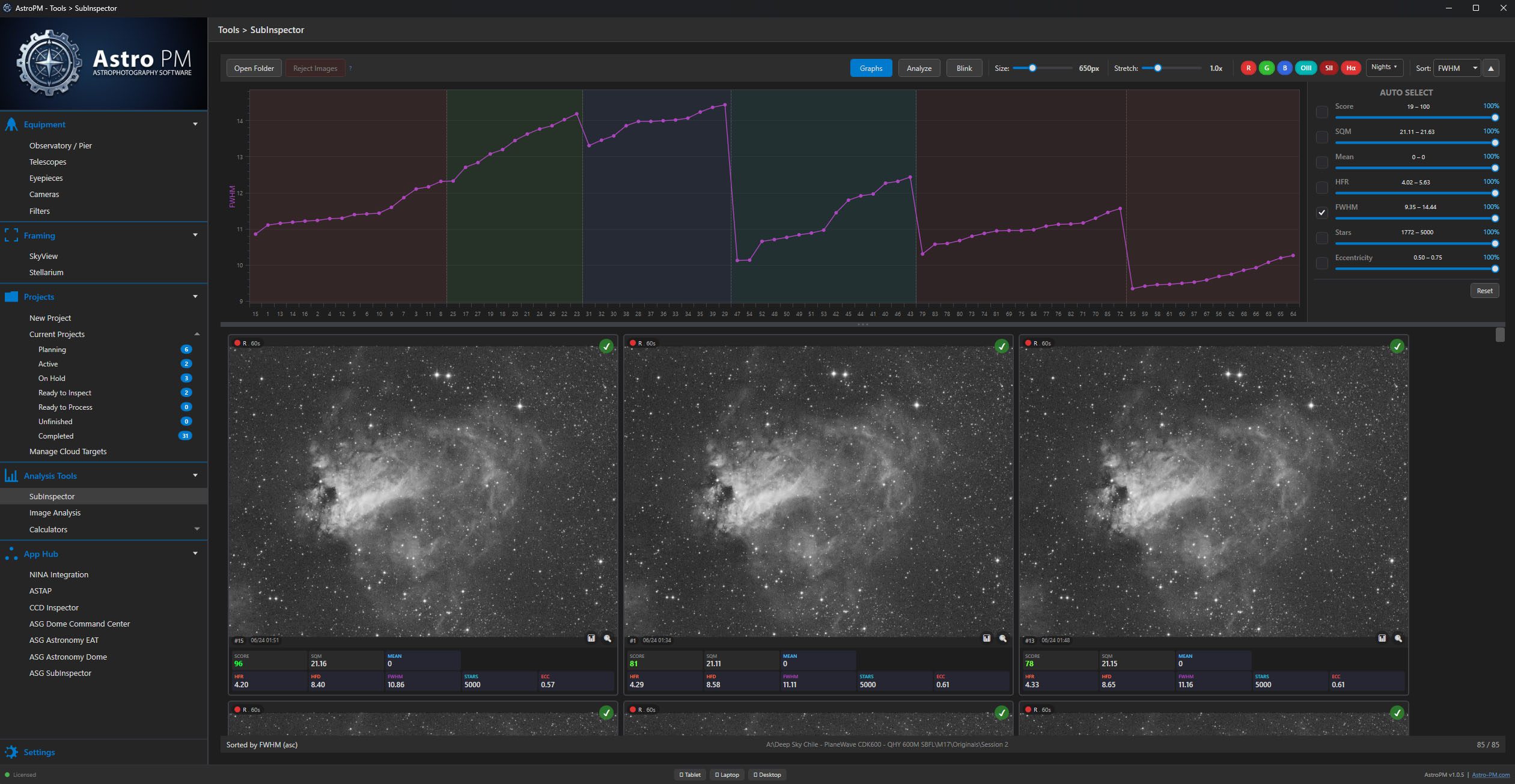
Inspect every frame before you stack.

SubInspector is designed to grade your images.  HFR, FWHM, Eccentricity, star count, mean, and other useful data graphed.  1-click rejection moves them to a seperate folder.  Blink-player lets you quickly flash through images.

Image Analysis Tools

06 — Image Analysis

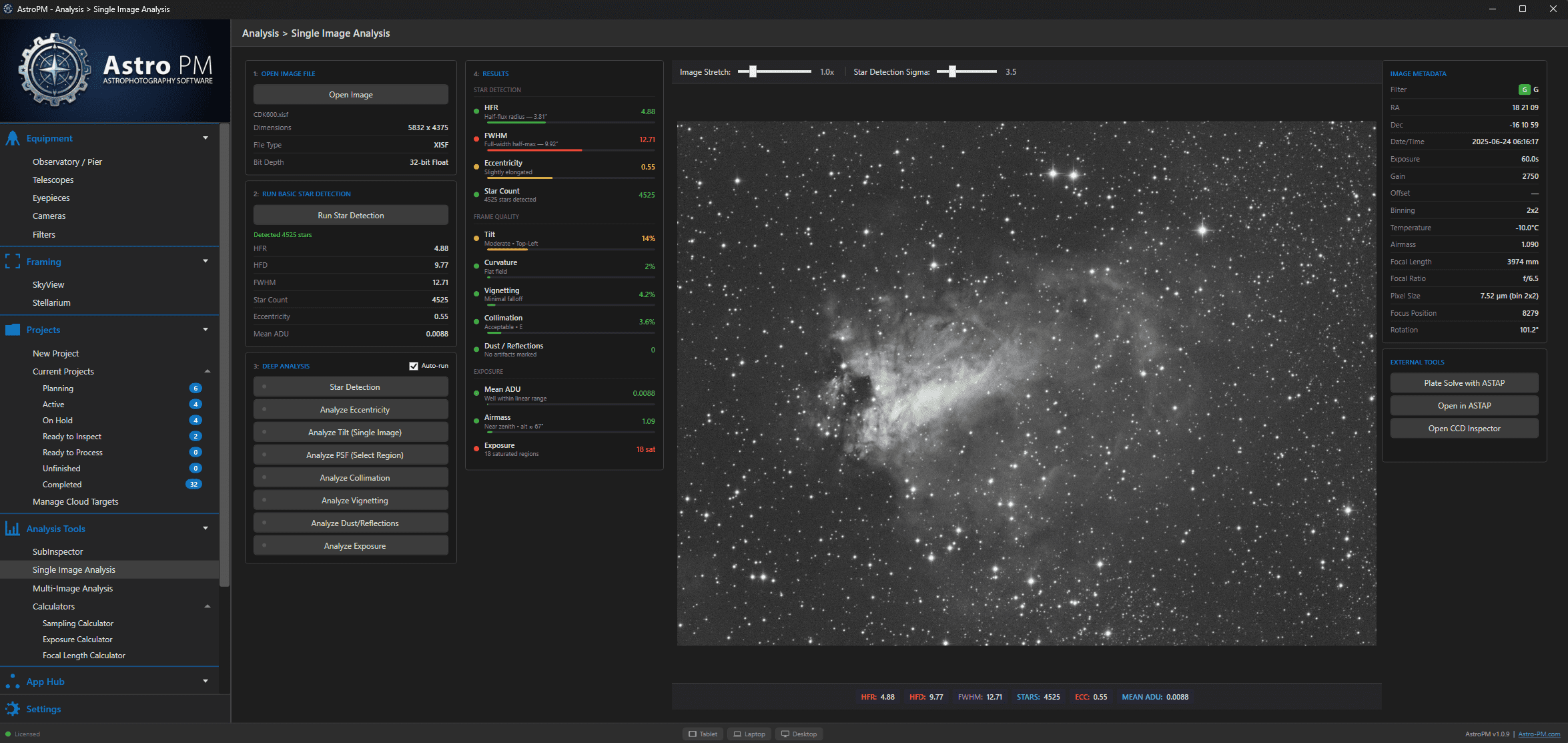
Inspect every frame before you stack.

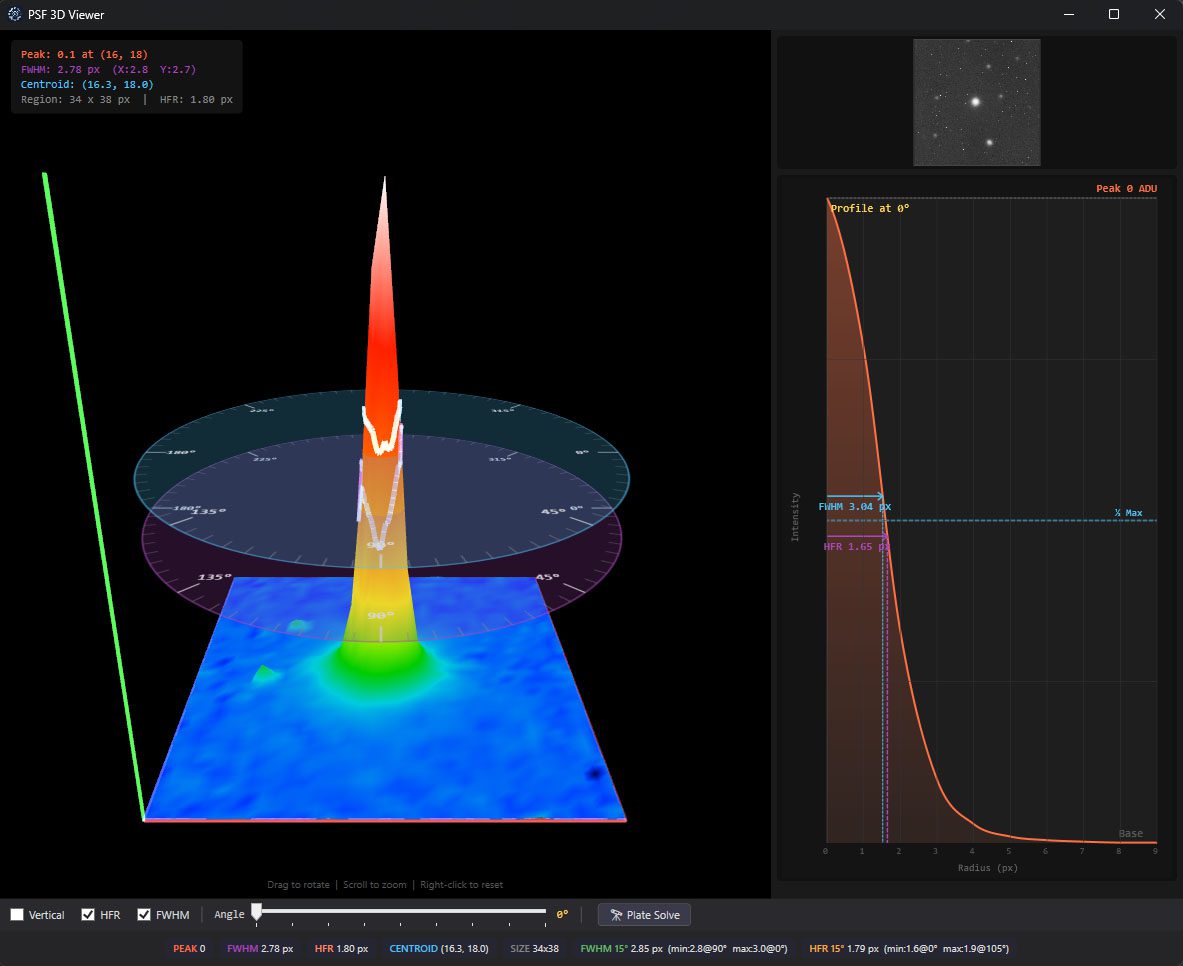
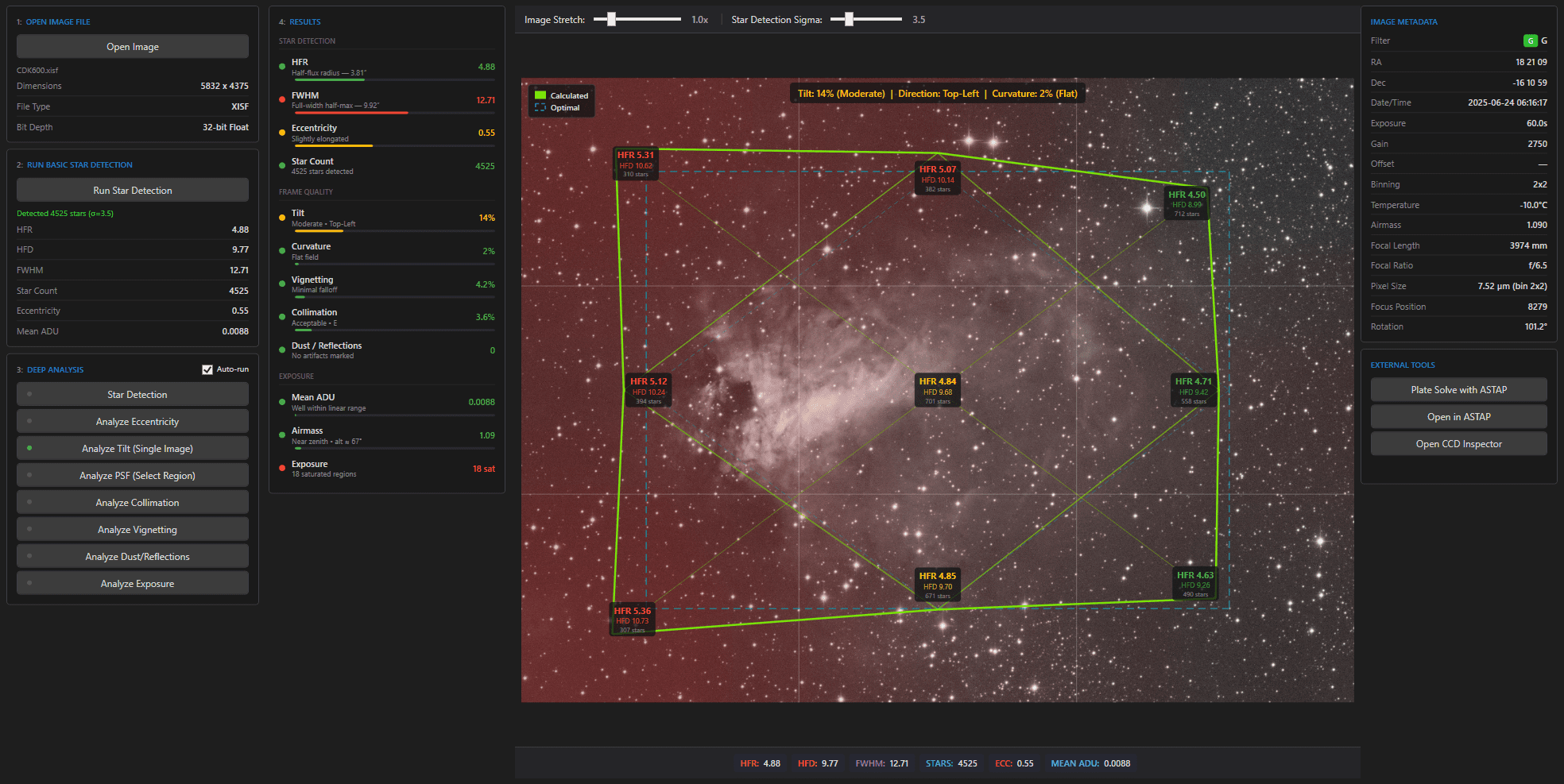
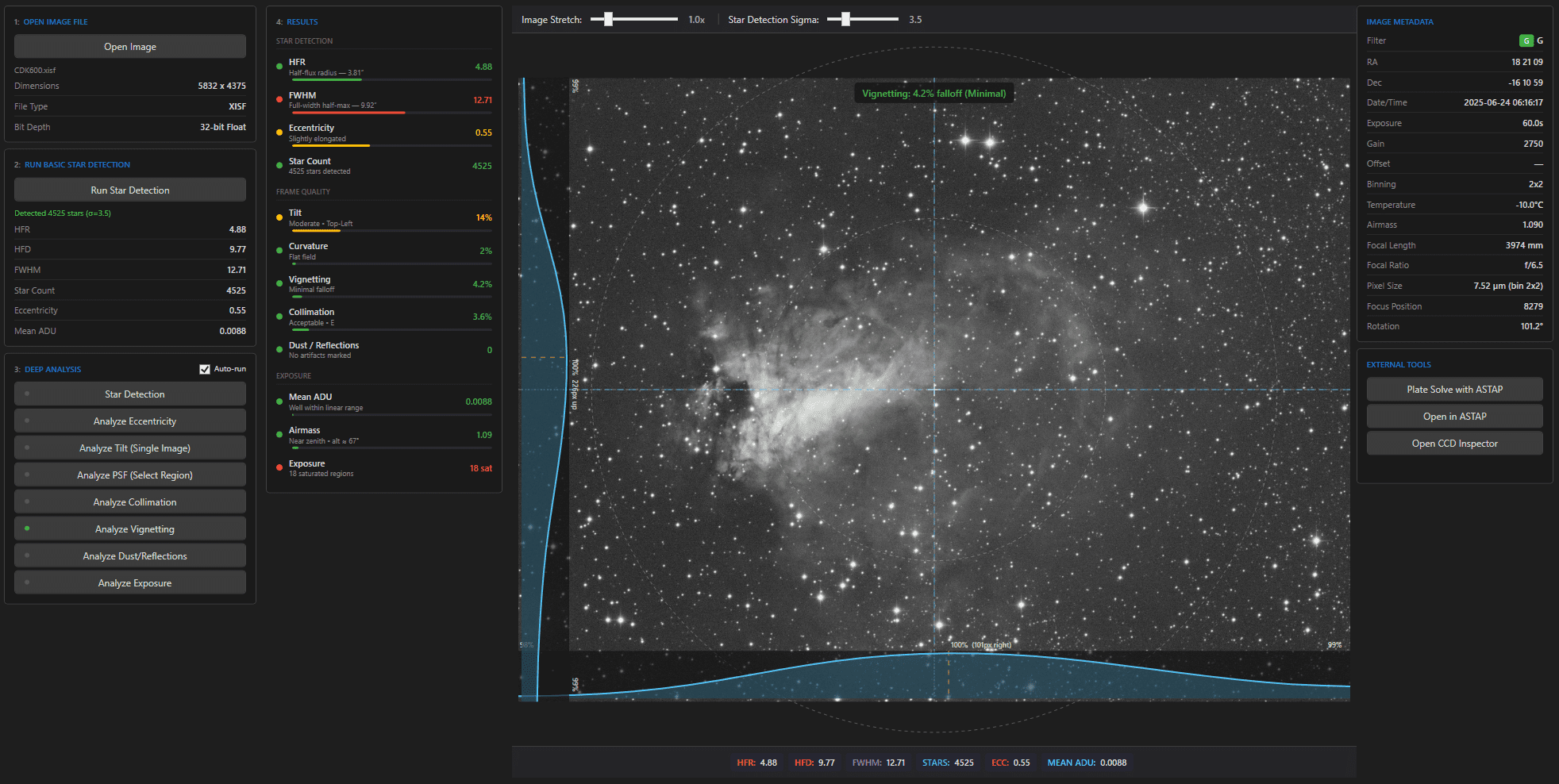
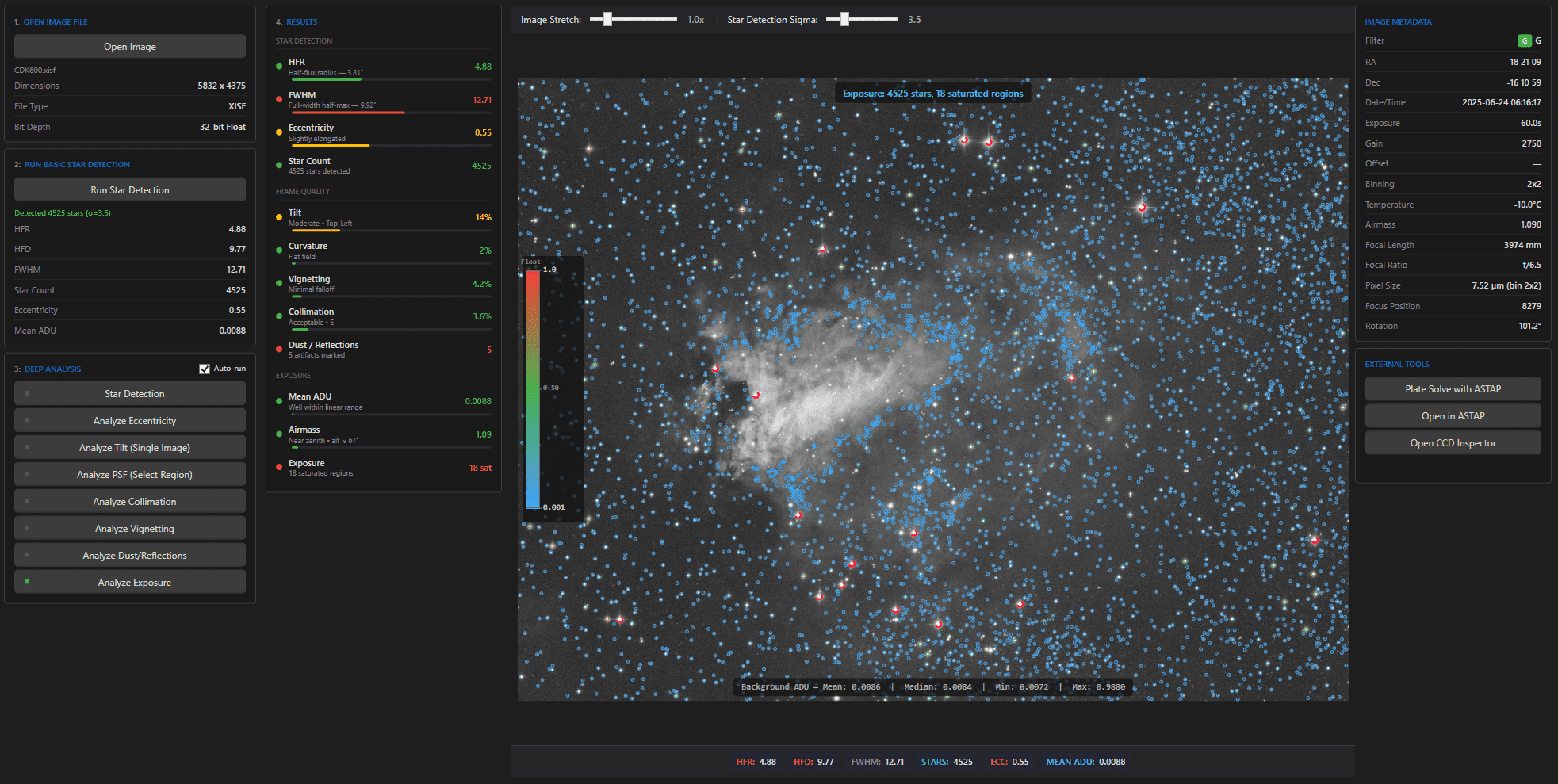
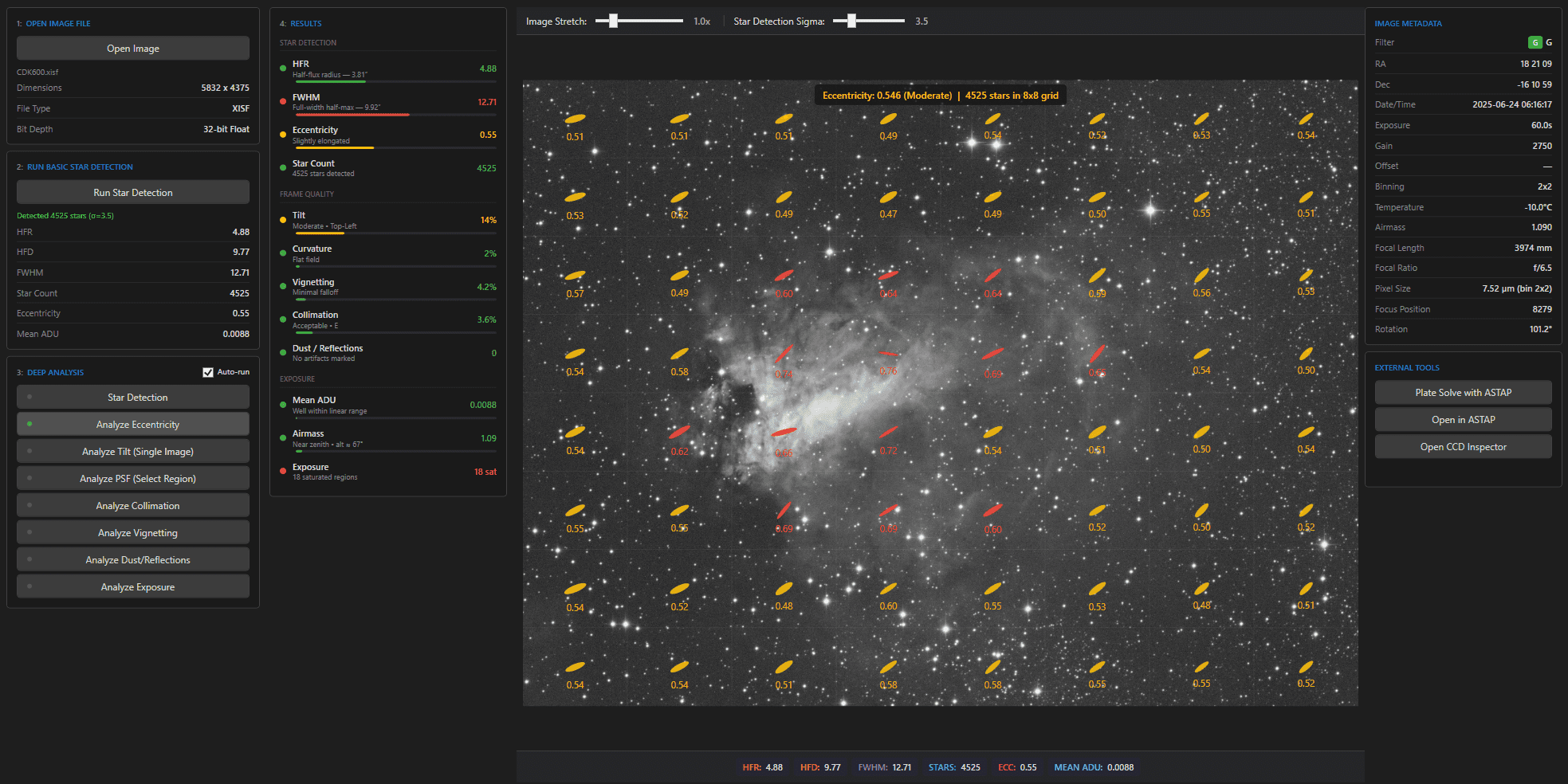
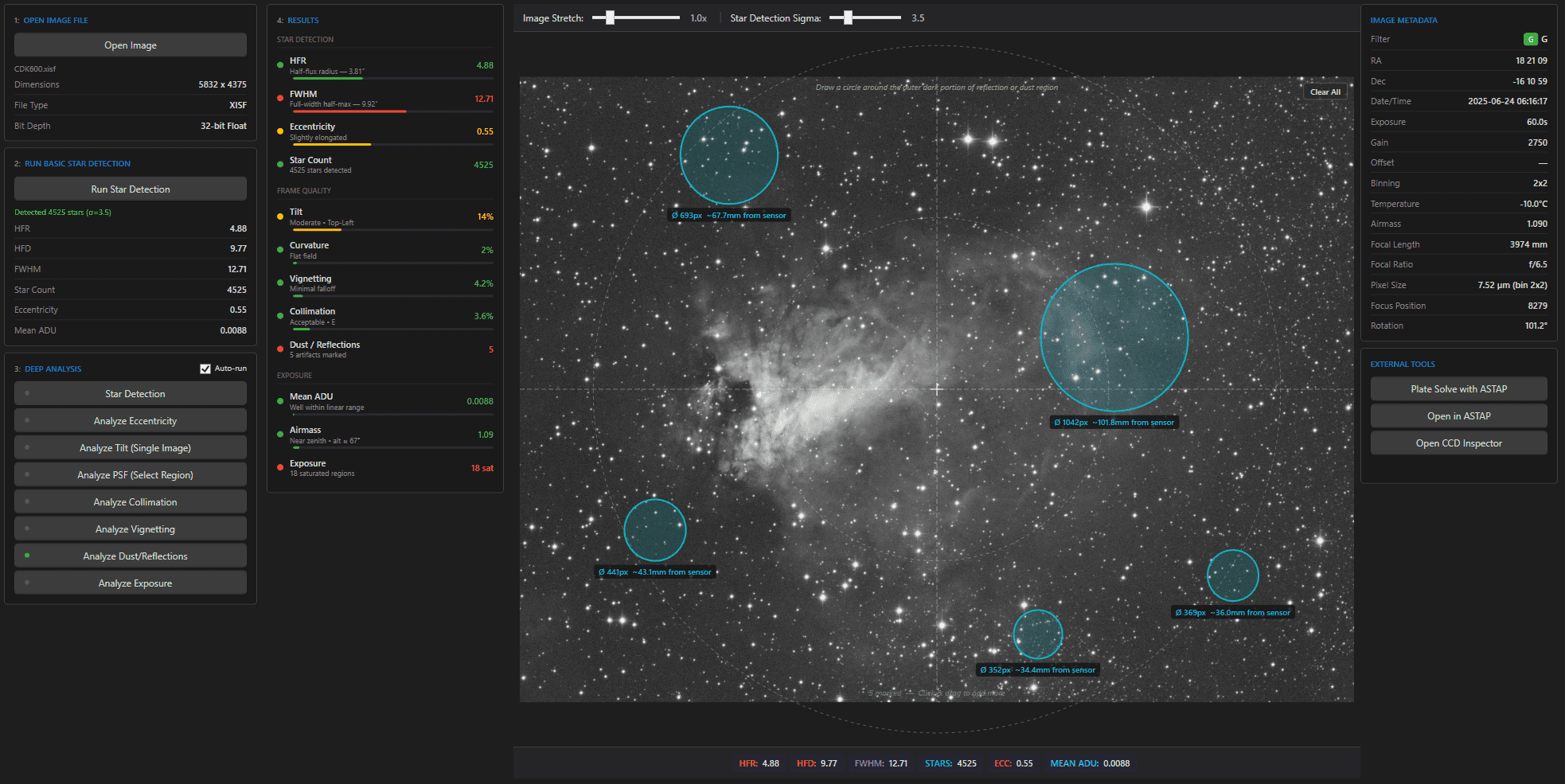
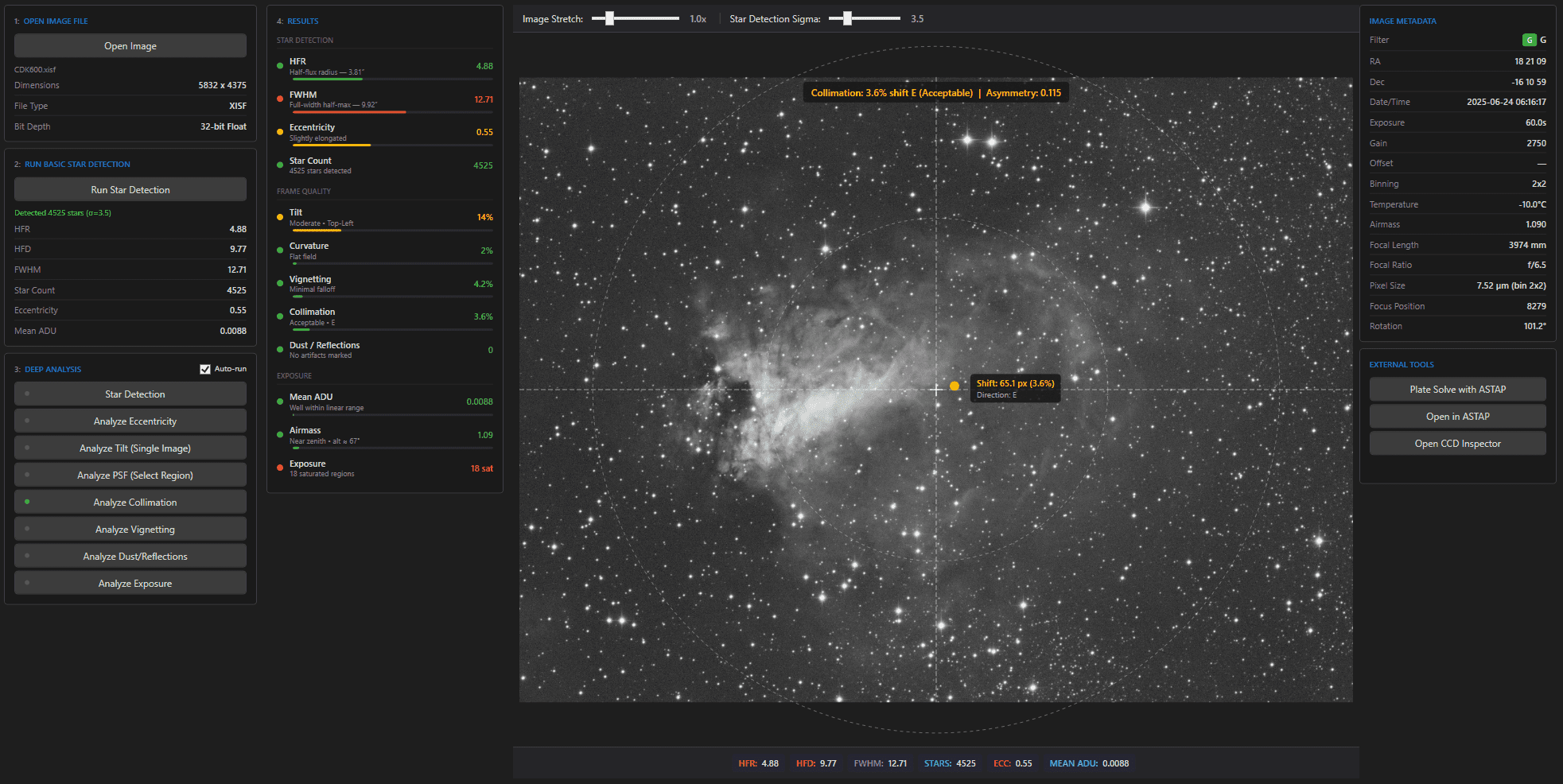
Star detection, HFR and FWHM measurement, eccentricity, tilt, curvature, collimation, vignetting, and 3D PSF visualization. Analyze your scope/camera combination against your real images.

Image Analysis Tools
3D PSF with HFR & FWHM Angle Analysis
Single Sub Tilt Analysis
Vignetting Analysis
Overexposure Calculator
Eccentricity Analysis
Dust and Reflection Analysis
Collimation Checks

06 — Remote & Sync

Remote observatory, local workspace.

Sync captured imagery from the remote rig back to your local workspace automatically — so the frames you shot last night are ready to inspect when you wake up. One-Click sync and your latest images are downloaded from any location to your local drive ready for inspecting and processing.

From Planetarium planning to NINA Syncing

07 — N.I.N.A. Sync · Framing assistant

Push to N.I.N.A.

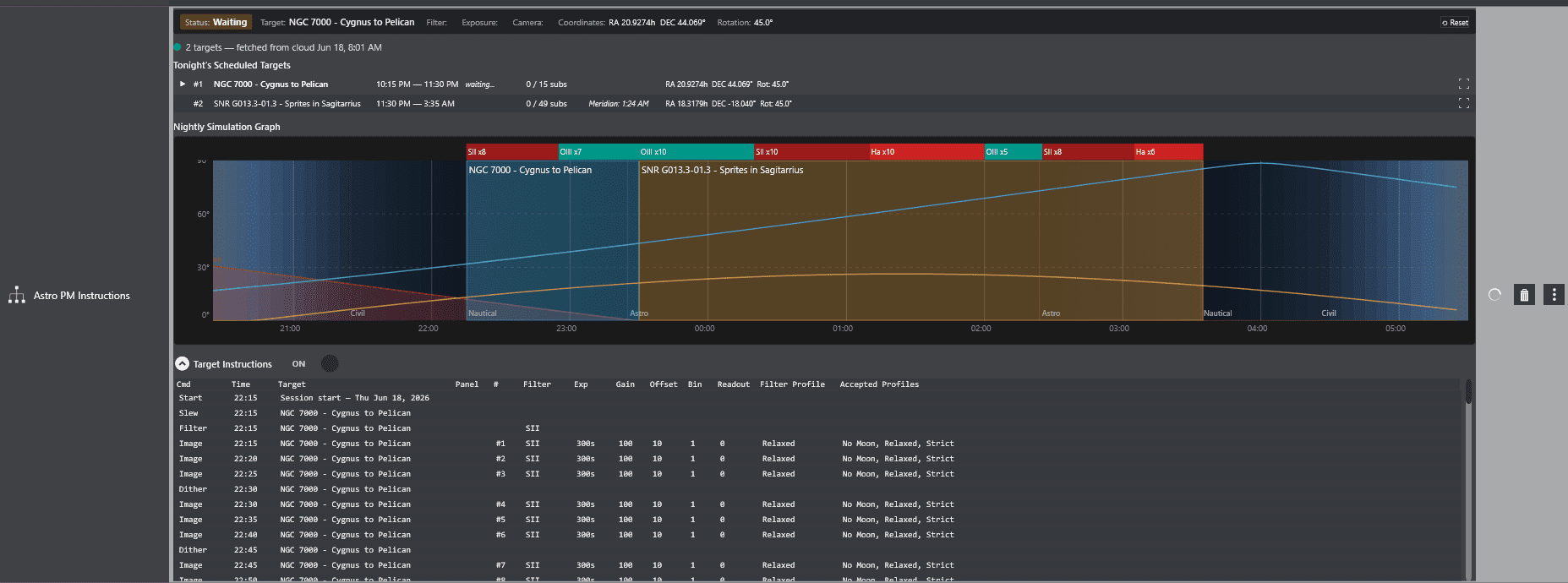
Push targets — coordinates, rotation, and mosaic panels — straight into N.I.N.A.’s Framing Assistant through secure cloud sync. Plan at your desk. Image at the scope. No re-entry, no copy-paste, no mistakes.

Ready to take control of your astrophotography?

Download AstroPM for Windows and replace the spreadsheets, sticky notes, and mental math with one workspace built for serious imagers.