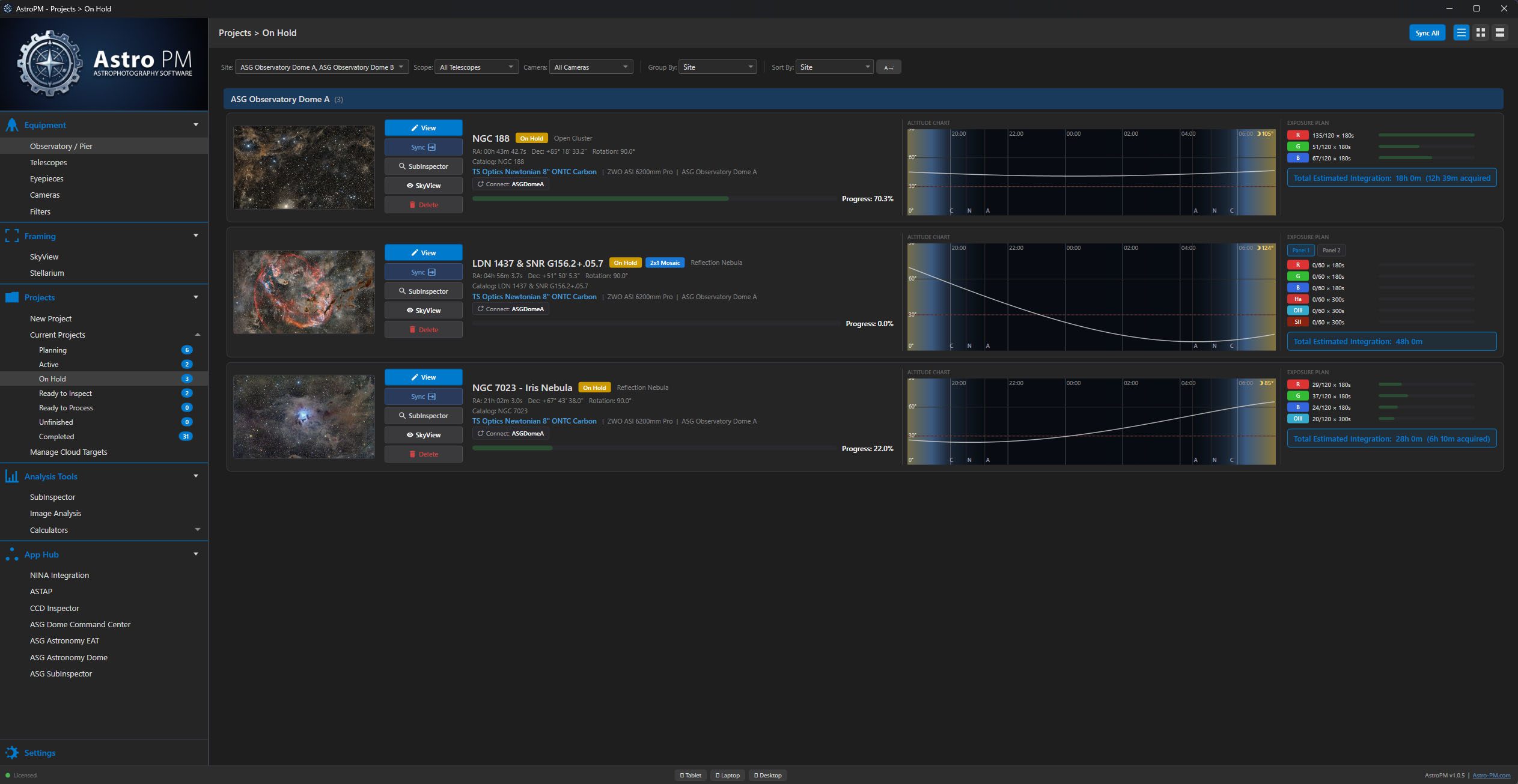
Every imaging target is a structured project that moves through a defined lifecycle. Track what you planned, what you captured, and what still needs to be done.
Project Lifecycle
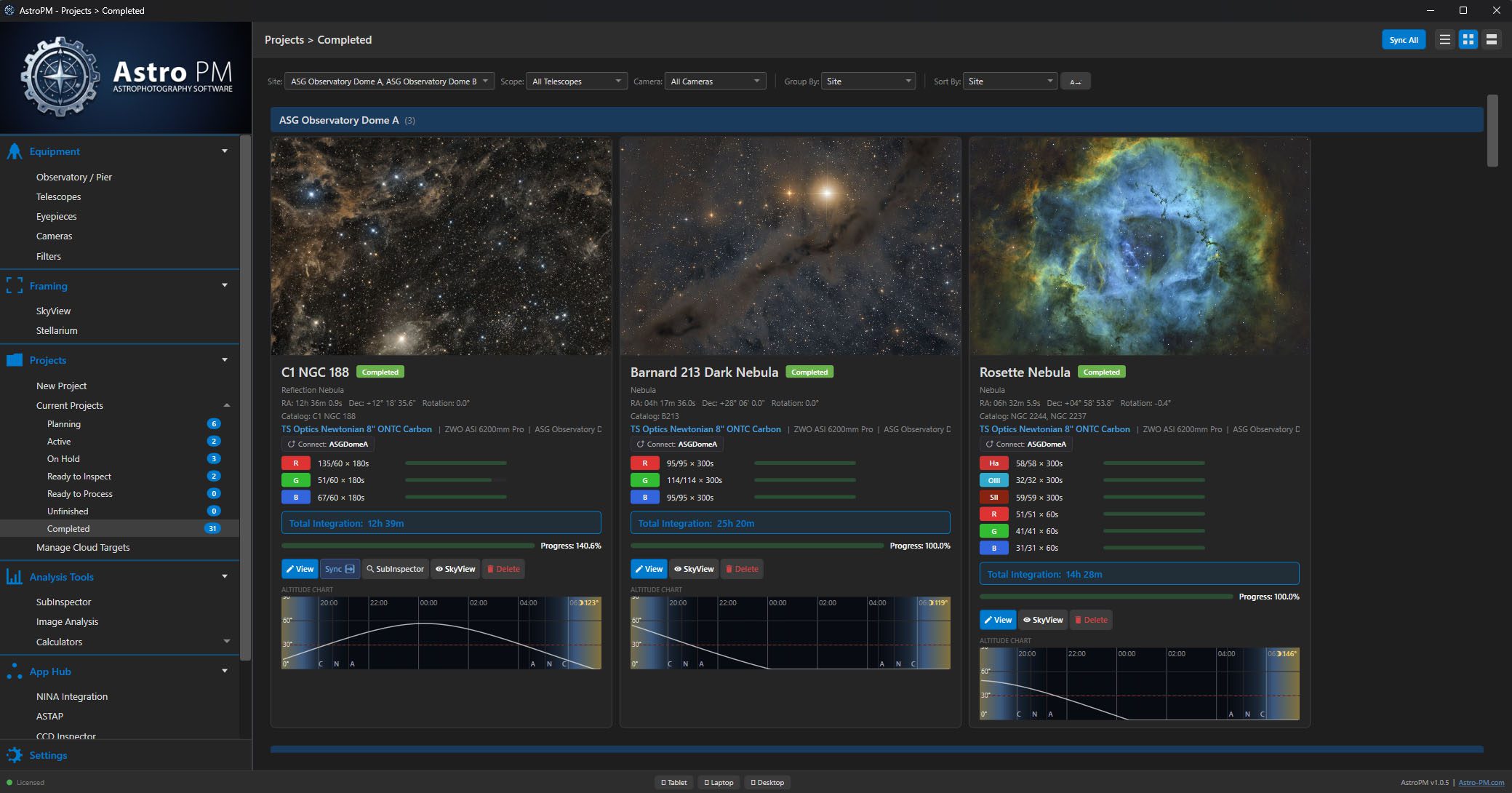
Each project carries a status: Planning, Active, On Hold, Ready to Inspect, Ready to Process, Completed, or Unfinished.
Filter by status, star favorites for quick access, and see everything organized in list, card, or detail views. Batch-sync all projects to the cloud in a single click.
Target & Exposure Planning
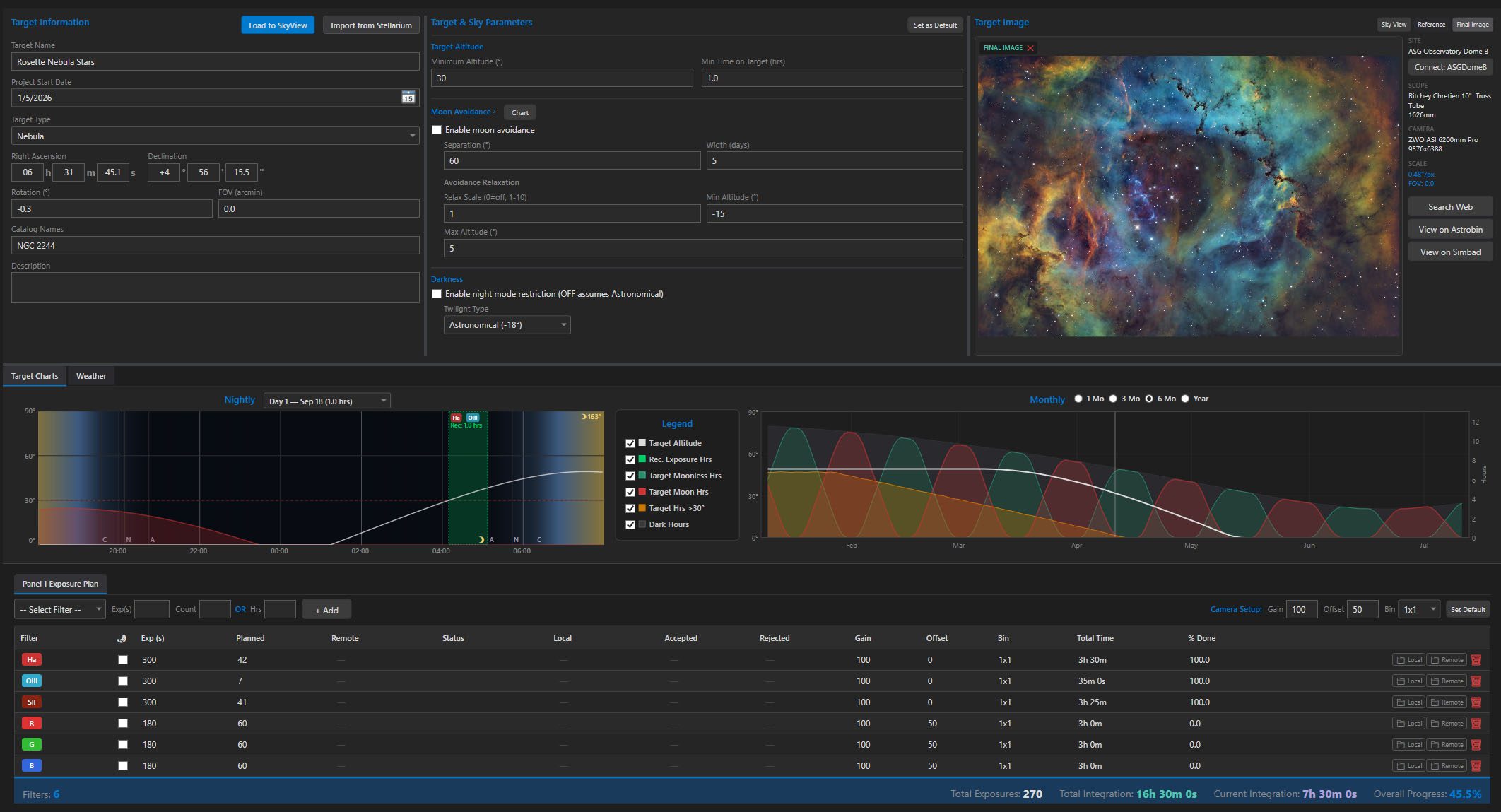
Search 14,000+ DSO catalog entries for instant target lookup. Define precise RA/Dec coordinates and camera rotation. Plan mosaic grids with per-panel coordinates and overlap control.
Build filter-by-filter exposure plans with per-panel settings. Track planned, acquired, and accepted frame counts. Flag narrowband filters as moon-safe and monitor total integration time automatically.
Everything a project tracks.
Status Lifecycle
Planning → Active → Complete workflow with seven project states you can filter and sort.
Target Catalog
14,000+ DSO entries with instant lookup, RA/Dec coordinates, and precise camera rotation.
Mosaic Planner
Multi-panel grids with per-panel coordinates, overlap control, and rotation per frame.
Exposure Tracker
Per-filter exposure plans with planned, acquired, and accepted frame counts plus total integration time.
Session Logs
Seeing, transparency, SQM, temperature, and humidity — your own weather database built night by night.
Cloud Sync
Push every project — coordinates, exposure plans, mosaics — to N.I.N.A. with one click.
Know when to image.
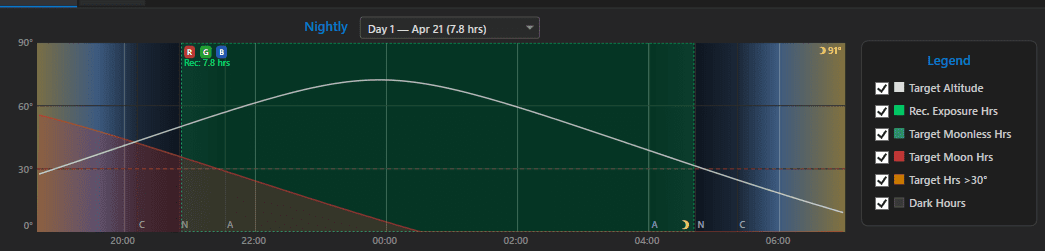
Every project shows you exactly when the target is worth imaging — both tonight and across the whole year. Altitude windows, moon-safe periods, and usable hours are modeled down to the minute.
Nightly Altitude
Hour-by-hour altitude for tonight, with dark-hour and moon-safe windows highlighted. See exactly when to start, when to stop, and when the target crosses the meridian.
Yearly Opportunity
365-day usable-hour totals at a glance. Spot the best weeks to schedule this target, find the narrow windows for hard objects, and plan a full season in one view.
Multiple Views, One Library
Browse your projects in list view with multi-column details, card view with visual thumbnails for quick scanning, or detail view grouped by status with expandable sections.
Log observation sessions with atmospheric conditions — seeing, transparency, SQM, temperature, and humidity — building a personal weather database over time.
Image Annotator
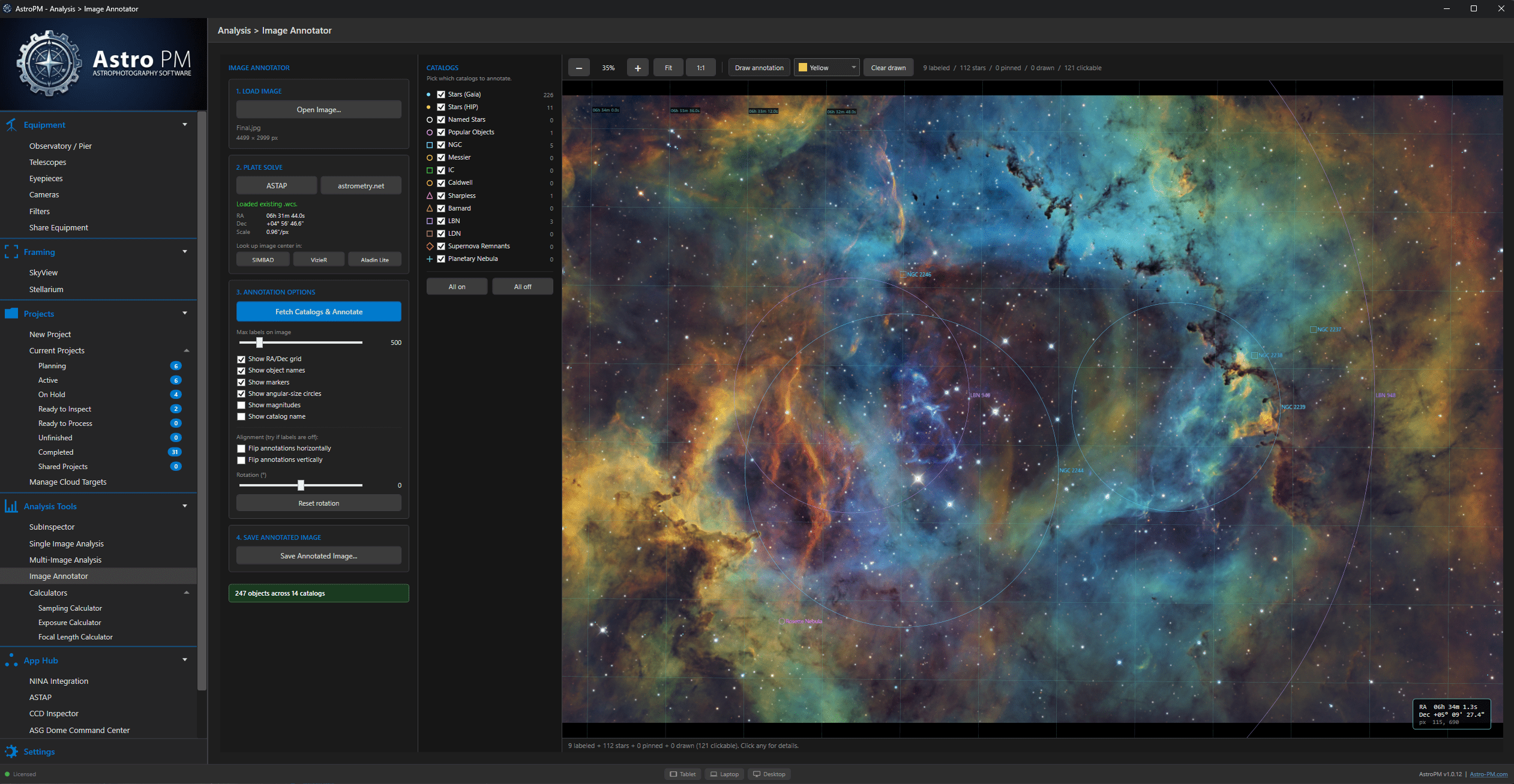
Astro PM scans your captured images, identifies stars and deep-sky objects, and annotates them against popular catalogs — NGC, IC, Messier, and more. Click any object to jump straight to its SIMBAD record for full astrophysical details, alternate designations, and references whenever you need to dig deeper.
Project Export & Import
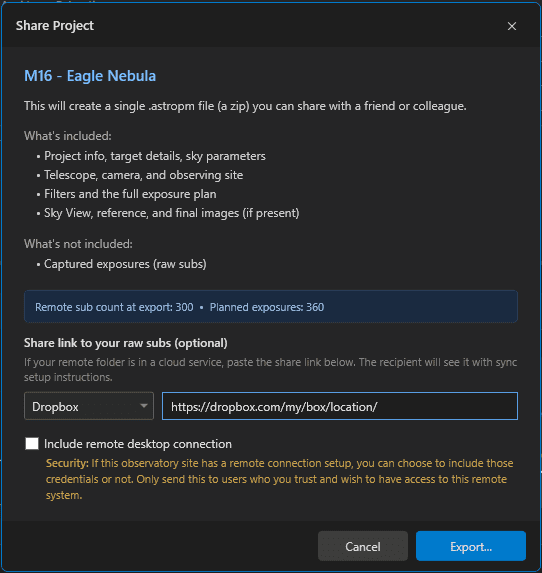
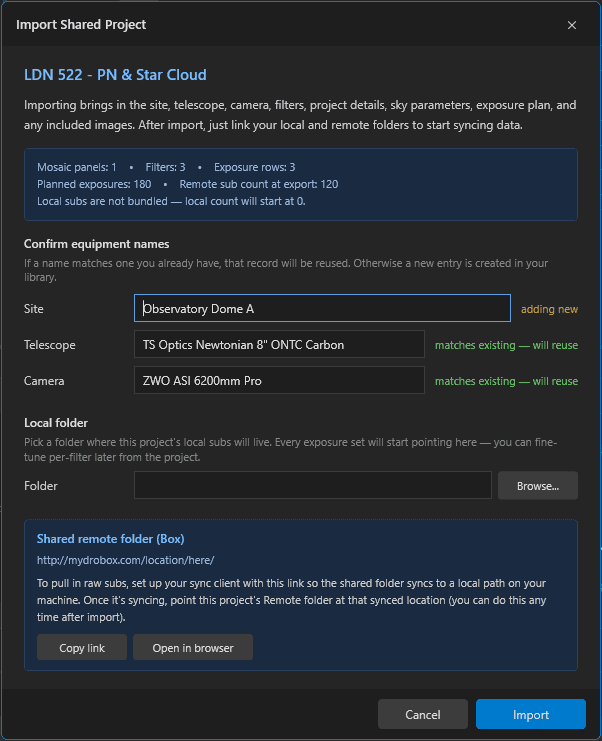
Export an entire project in one click: target details, sky parameters, exposure plan settings, observatory site, telescope, and camera specifications — plus remote access credentials when you need to hand the keys to a partner or technician. Attach a shared Dropbox, OneDrive, or Google Drive folder and everyone on the project can pull captured imagery without copying files around. Drop the export into any other Astro PM install to pick up exactly where you left off.
Export
Bundle a project — coordinates, exposure plans, frame counts, annotations, and notes — into a single portable file ready to share with a friend or archive for safekeeping.
Import
Drop an exported project into another Astro PM install and pick up exactly where you left off — every spec, plan, frame, and note intact.