A purpose-built sub-inspection workspace. Score frames by filter, blink through a night, cull the bad, and feed the results straight back into your exposure plan.
Sub Inspection Made Easy!
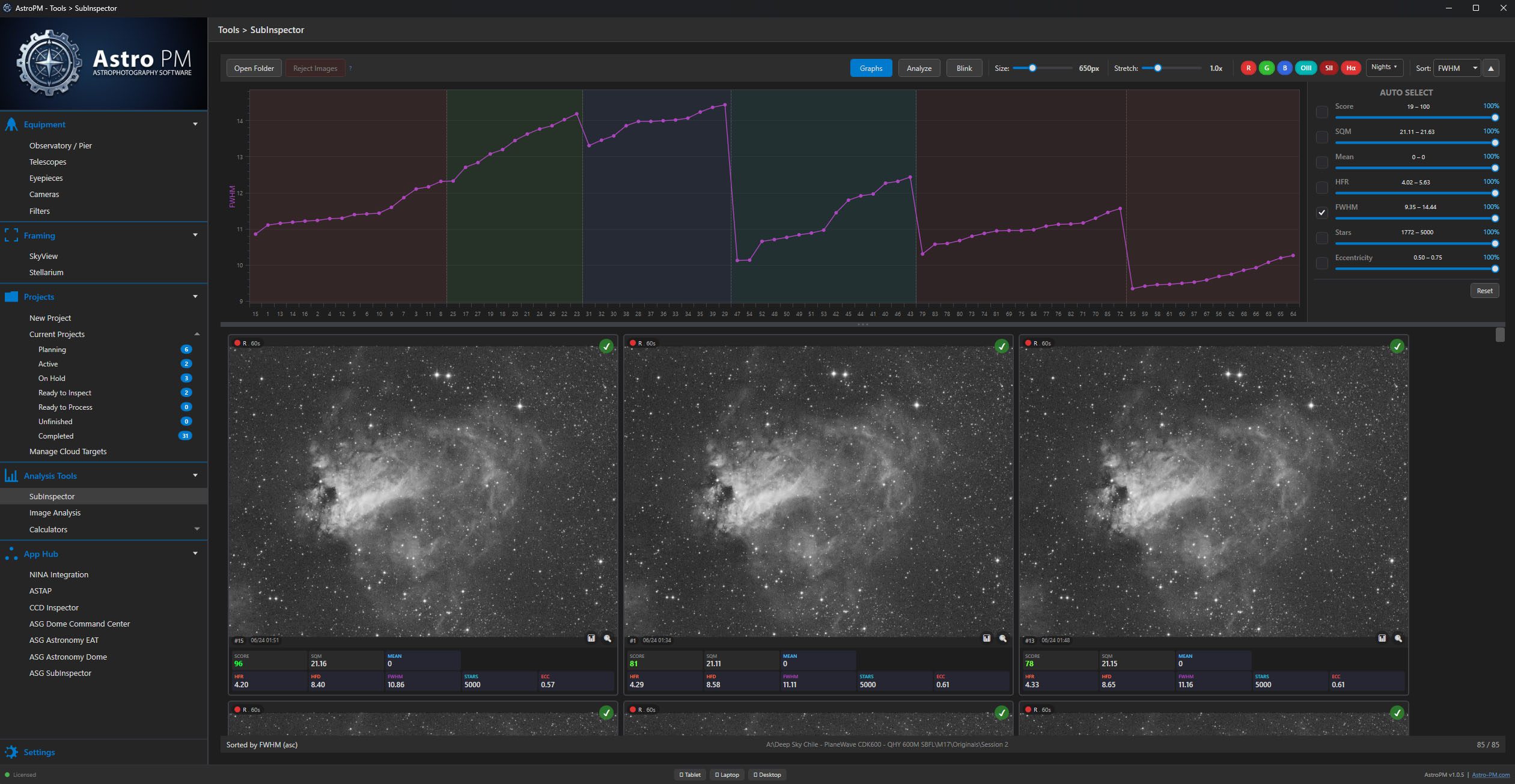
See every sub from a project on one screen, grouped by filter, with analysis of hfr, fwhm, sqm, mean, stars, eccentricity all plotted across the session. Outliers jump out, trends across the night are obvious, and every filter gets its own scoring band so narrowband and broadband are graded on their own terms.
Drop a folder onto the inspector and the whole catalog lands pre-sorted — ready to grade without any per-file clicking.
Score & Filter
Per-filter grading with configurable thresholds — narrowband and broadband judged on their own scales.
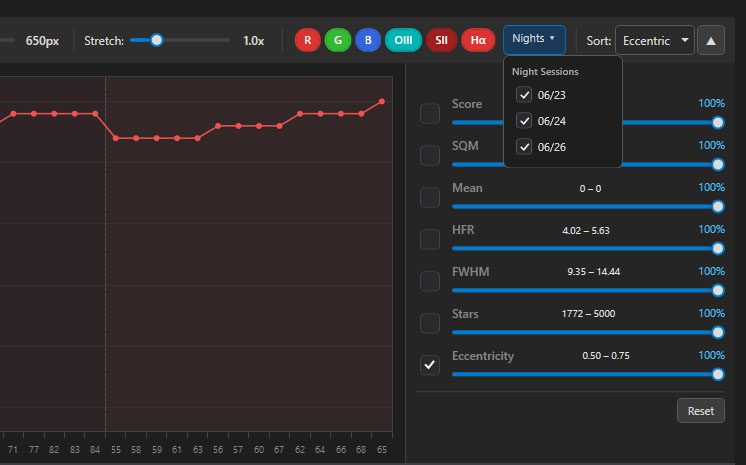
Filter by Night or Filter
Browse everything from a single session, or isolate a single filter across the whole project in one click.
Analyze & Blink
Compare frames in rapid succession with the blink player, then drill into single-sub analysis on any frame of interest.
Filter by Night or Filter
Pivot the way you actually think about your data. Group subs by acquisition session when you want to grade last night’s work, or by filter when you need to compare across the whole project.
Every combination — night × filter, filter × night — is a single dropdown away. No re-imports, no re-sorting.
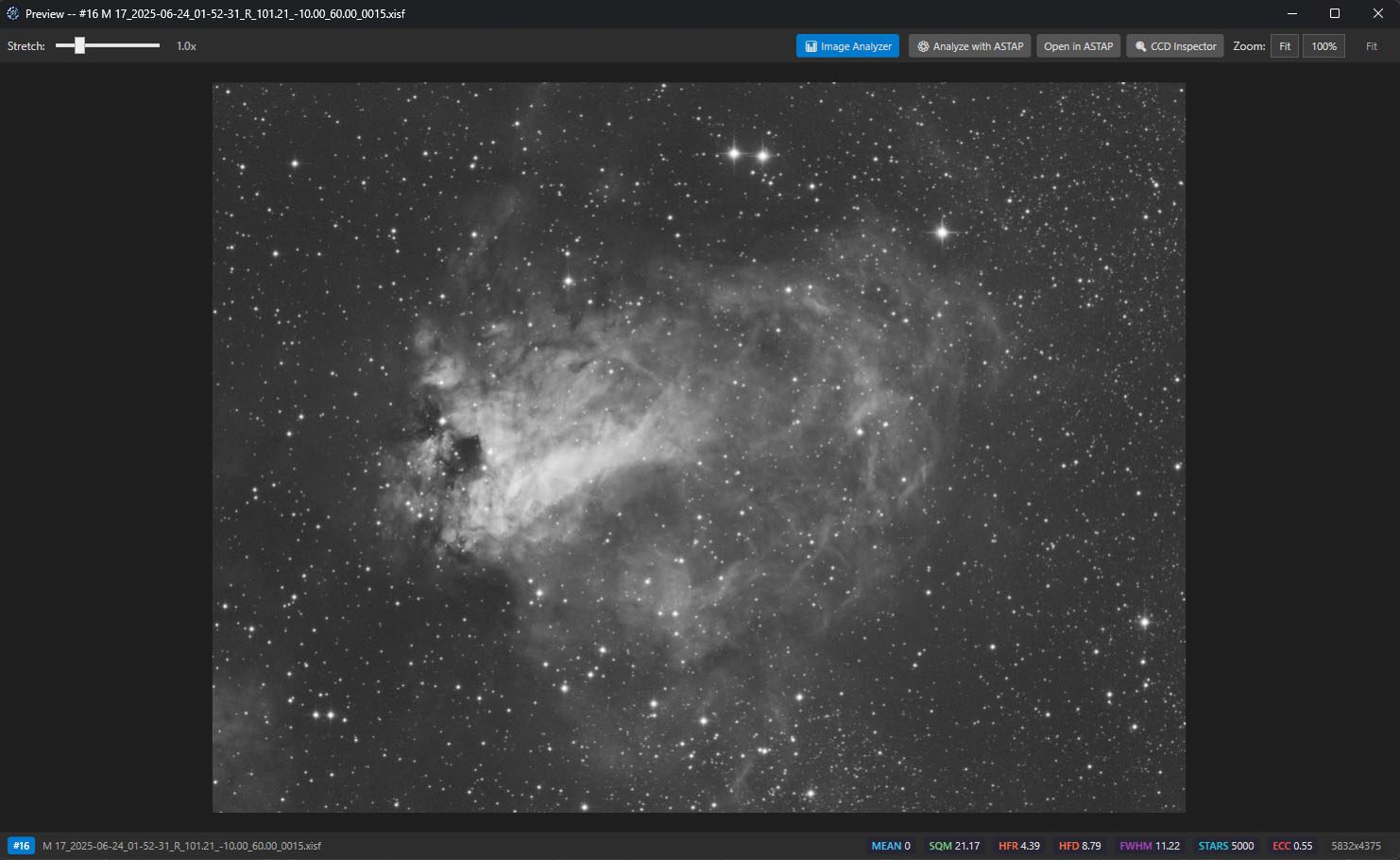
Full Star Analysis on Any Preview
Click any frame and see a full per-star breakdown: HFR, FWHM, eccentricity, peak intensity, and Gaussian fit quality — laid directly over the preview.
If ASTAP or CCDInspector is installed on your machine, hand the frame to either one. Plate-solving or push to image analyzer for deeper analysis.
One-Click Rejection
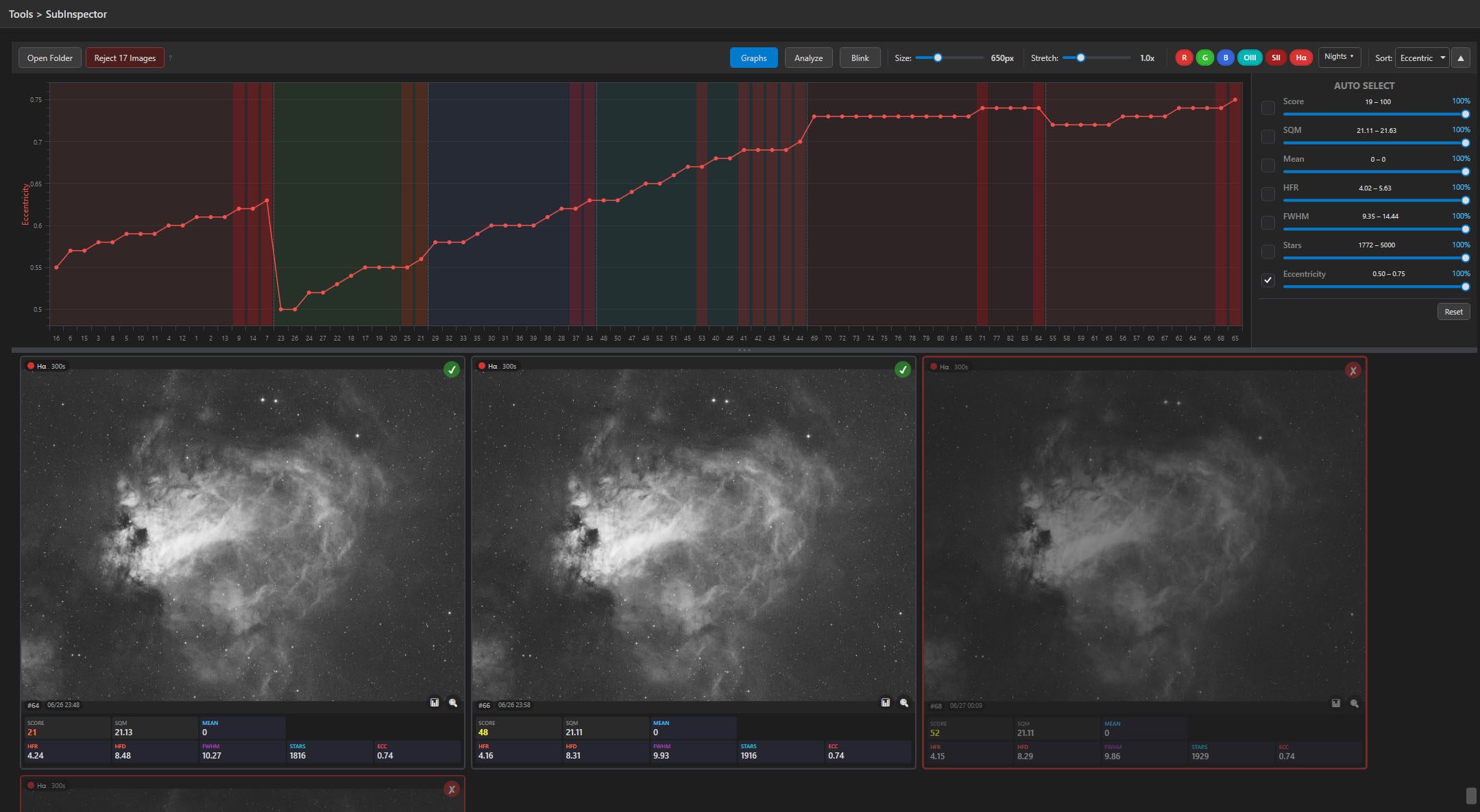
Reject a frame with a single click. The file moves to a dedicated rejected folder — never deleted, never lost — so you can always walk a decision back if you change your mind.
Cull a whole night in minutes by combining stats-based thresholds with quick blink review. Your accepted set is the only thing that reaches the stack.
Results Flow Into Your Exposure Plan
Every inspection flows back into the project it came from. Accepted and rejected frame counts show up directly in the exposure plan, so integration time always reflects what you’re actually keeping — not what the sequencer recorded.
Plan progress, percent complete, and remaining frames per filter all update the moment you finish grading.
A more organized, more accurate representation of your imaging sessions each day!